
Overview
The Staging query page is a read-only SQL window onto a project's staging database. It is for the questions a saved report does not answer yet: what did this run load into that table, which rows have a null in a column, how many of each type arrived. Developers use it while building a project and operators use it when investigating a run; the Reports page is for the questions that come up often enough to save.
It is under Staging query in the sidebar's Data section, needs the Query staging permission, and depends on the tenant's Staging query enabled setting. A run's Query data tab is the same panel scoped to that run.
Run a query
- Choose the Project in the header. Only projects whose staging database is ready are listed, each with its database name.
- The Tables card on the left lists every table in the database, with the project's
stgtables first, thendbo, then thelkplookup tables. Click one to start a query on it. - Edit the SQL in the Query card and click Run query.
- The rows appear in the grid below, where you can sort and filter them (in memory, for this page) and hide columns, as on the Reports page.
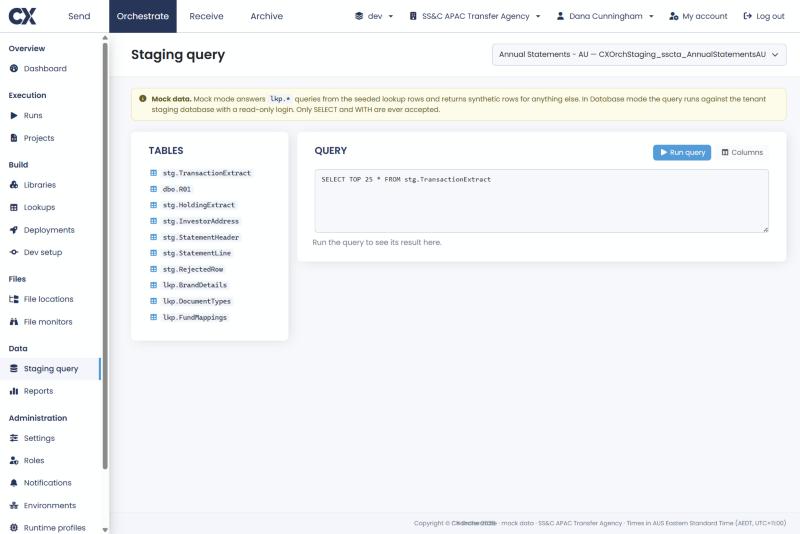
The grid stops at the tenant's Most rows shown setting (500 by default) and says so. Download re-runs the query for up to 100,000 rows as Excel or CSV, and is recorded in the audit log. A query that exceeds the command timeout (30 seconds by default) is stopped with a message naming the setting.
What is allowed
The page is read-only in two layers. Before a statement reaches the database it must start with SELECT or WITH and contain no word that changes data or runs code: not insert, update, delete, merge, drop, alter, create, truncate, exec, grant, into, waitfor, backup and the like, anywhere in the text including comments and strings. Behind that, the web application's own access to every staging database is read-only, so nothing that slipped through could change anything.
Unlike a report, a query here may use a WITH clause and an ORDER BY, since the whole result comes back to the page.
On a run page
The run's Query data tab opens the same panel for the run's project with the run already chosen. Tables that have a run-id column start filtered to the run, which is the usual way to look at what one run put in staging. It shows only for people with Query staging, and only when the project has a staging database.
When you'd use this
- A run rejected more records than expected: query the run's rejection table from the Query data tab.
- A developer wants to confirm a lookup table arrived:
SELECT TOP 10 * FROM lkp.Products. - A question comes up for the third time: turn the query into a report.