
Platform Data Retention Policy
Send Settings
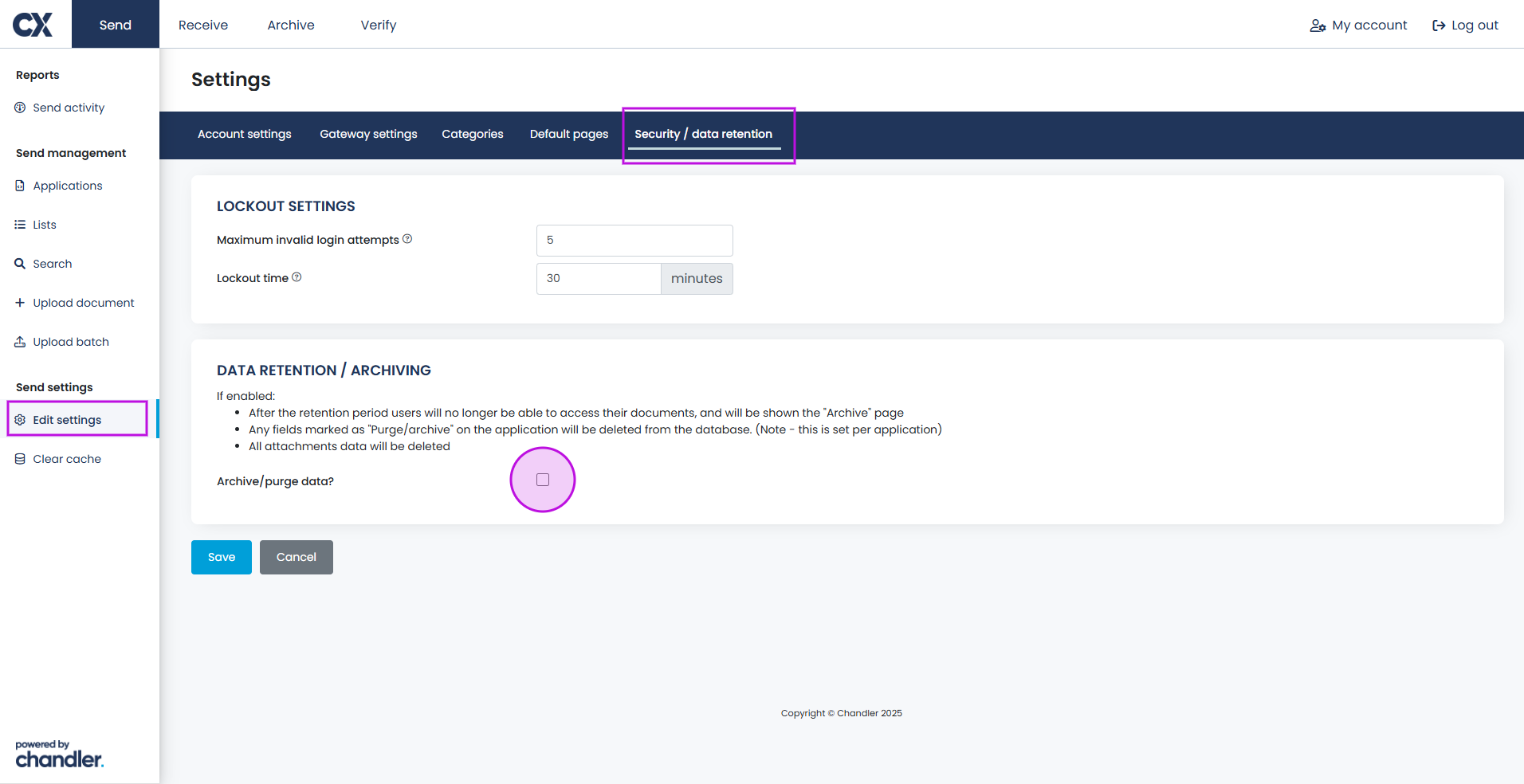
- In the Send Edit Settings tab, Security / Data Retention settings, administrators set the default retention and purge policy for all data.
How it works
- When enabled, after the set retention period, user access to documents is removed and those records are archived.
- Attachments linked to the document will also be deleted.
- All fields marked for purge/archive will be wiped from the database after the retention window.
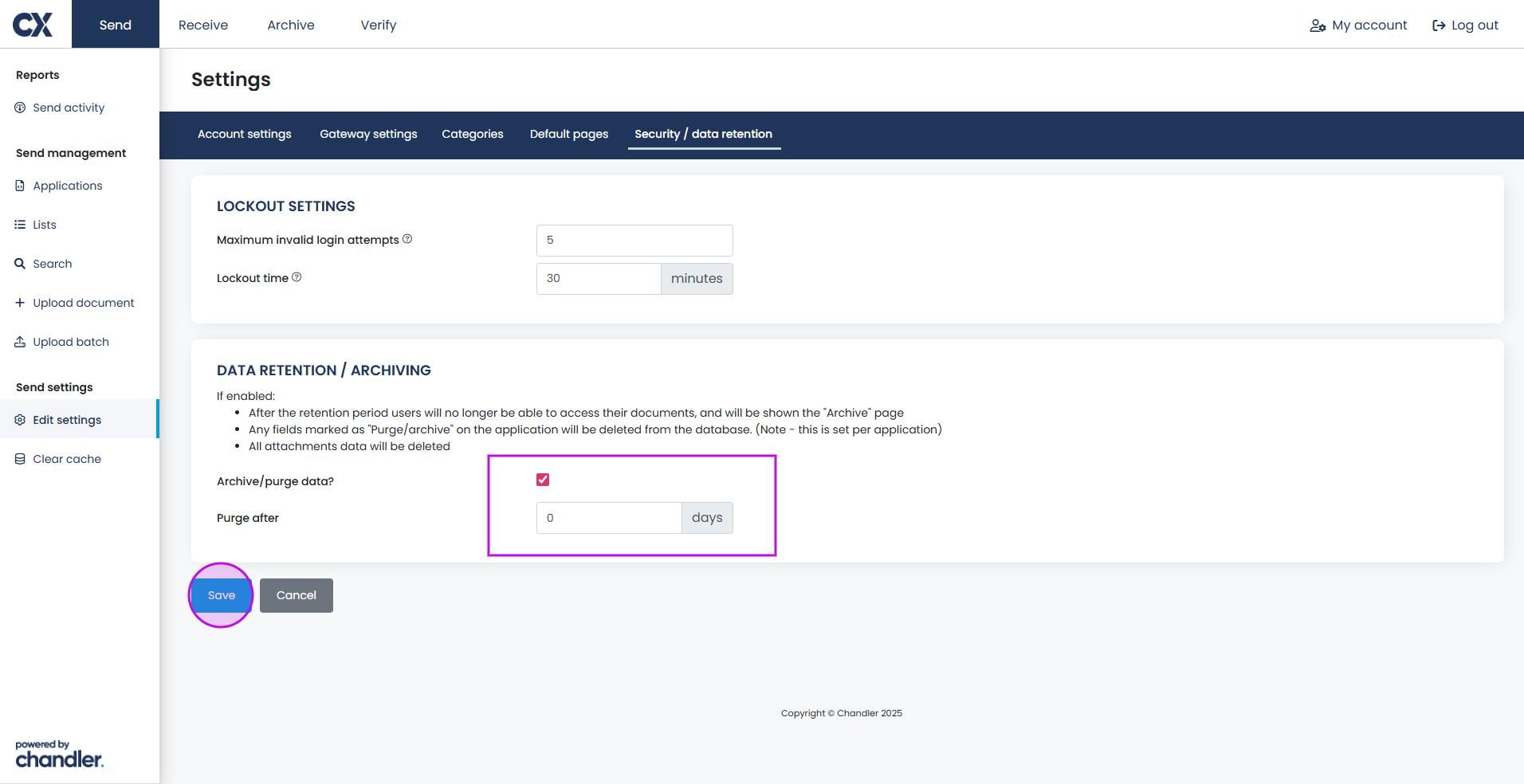
Purge Duration
- Set the standard retention window (e.g., purge after 2 days) for all applications unless overridden per application.
Field-Level Archival in Applications
Custom Field Control
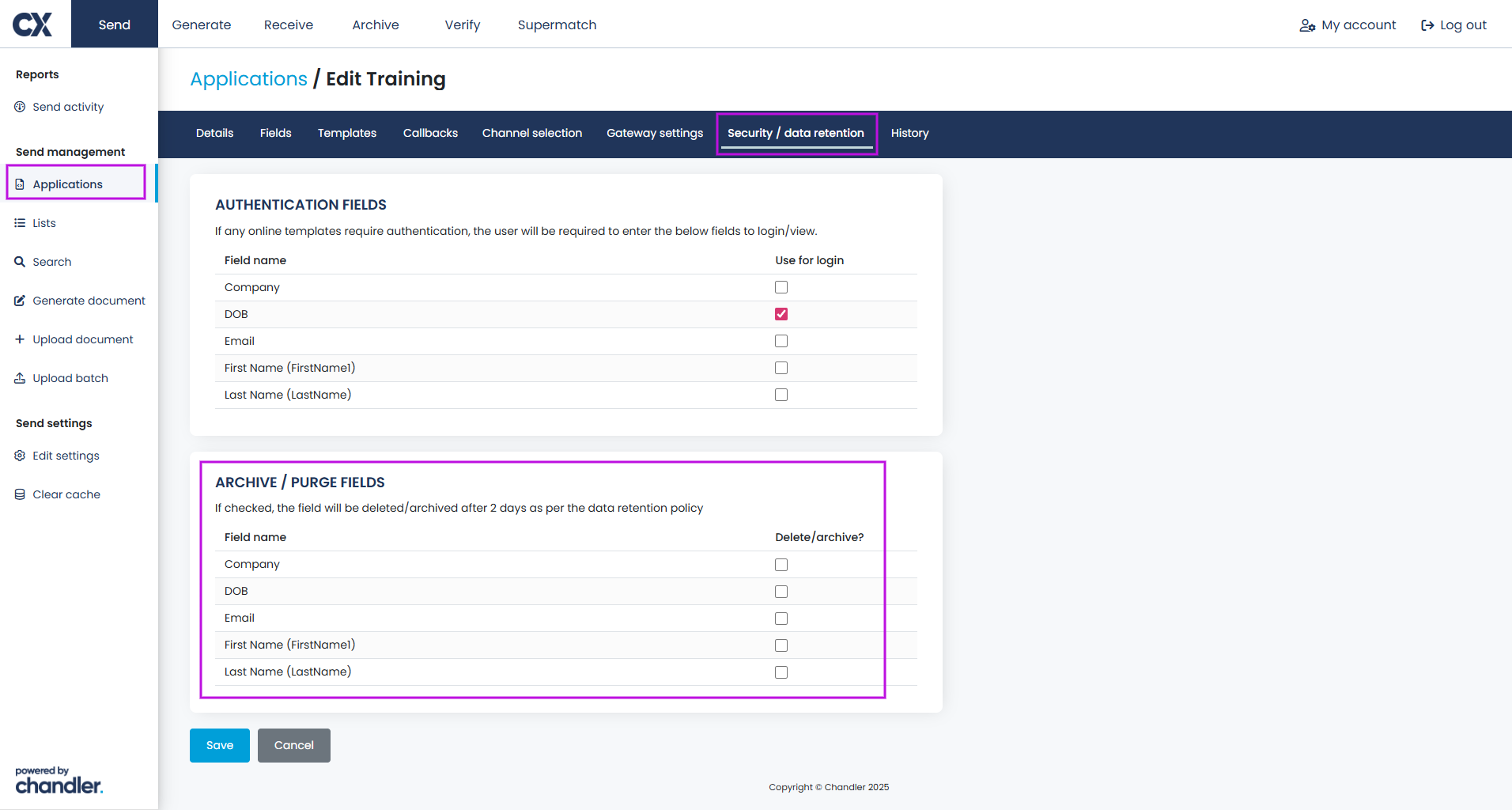
- Within each application/template, you can select which specific fields should be included in the purge/archive policy.
Flexible Compliance
- This means that, while the platform enforces the main retention period, you can protect or exempt certain data fields from deletion or specifically target sensitive data for purging.
Configuration Display
- The settings will show which fields are set to be purged/archived and which will be retained.
Best Practices
- Align both global and application-level policies with your organisation's data and privacy standards.
- Use platform-level rules for broad compliance, and field-level rules for fine-tuned control of PII, sensitive, or business-critical data.
- Review field configurations when creating or updating applications to confirm correct archival behaviour.